How to connect HiTide and Mailchimp
2 minutes until the end
Need to hand-off?
Step 1 / 8
First, follow the steps in the "How to connect HiTide and Zapier" article.
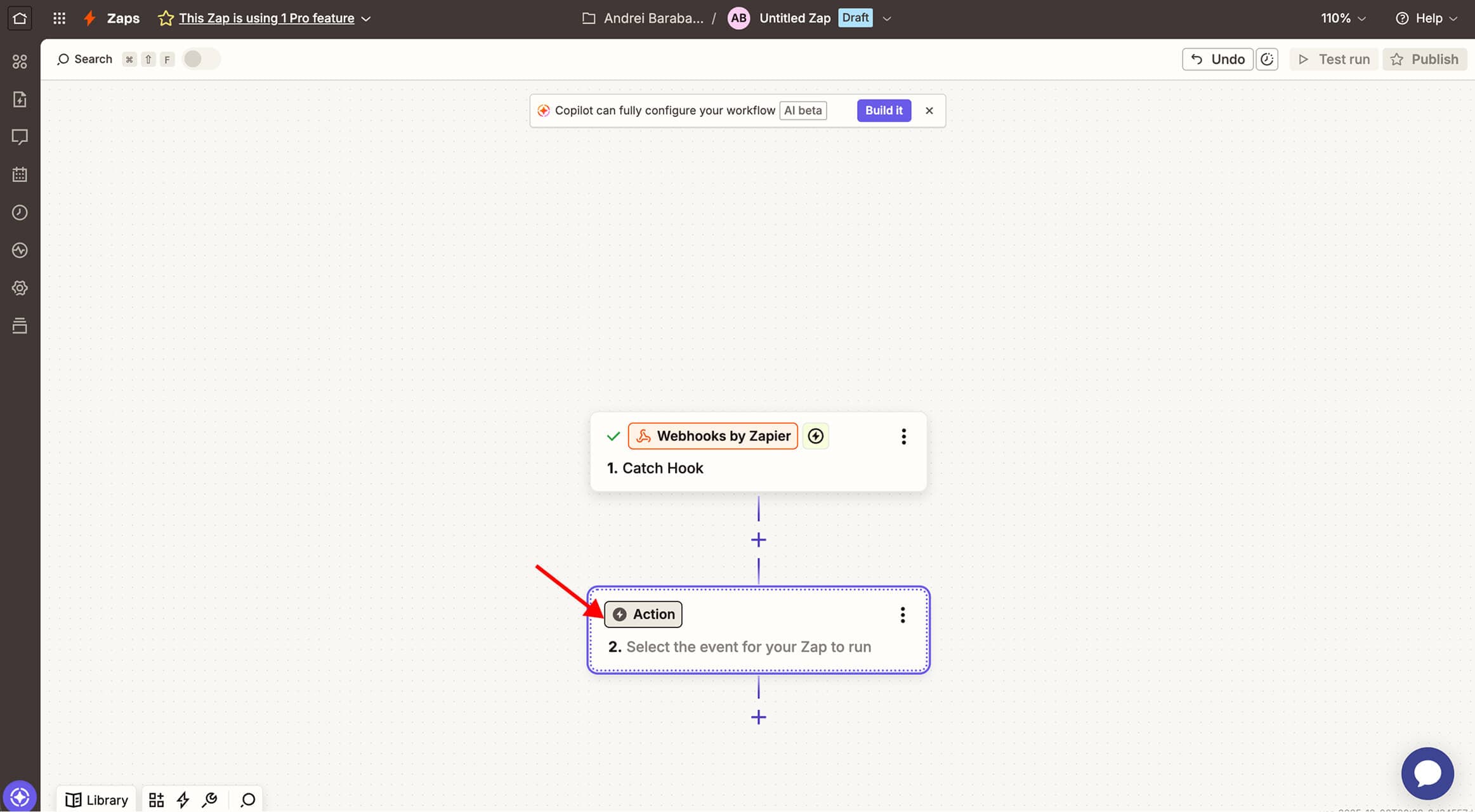
Step 2 / 8
Then press the Action button
Was this image helpful?
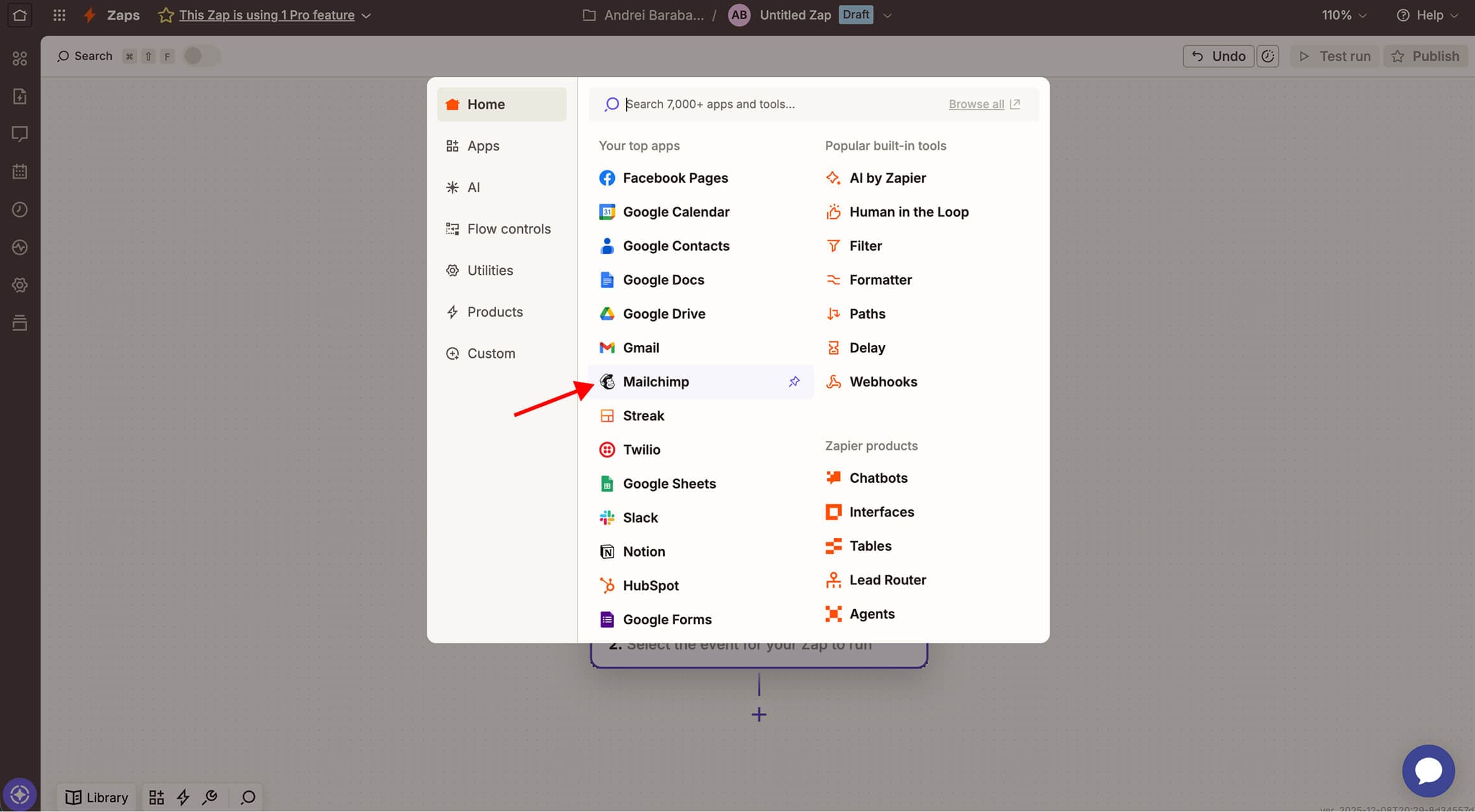
Step 3 / 8
Select Mailchimp option
Was this image helpful?
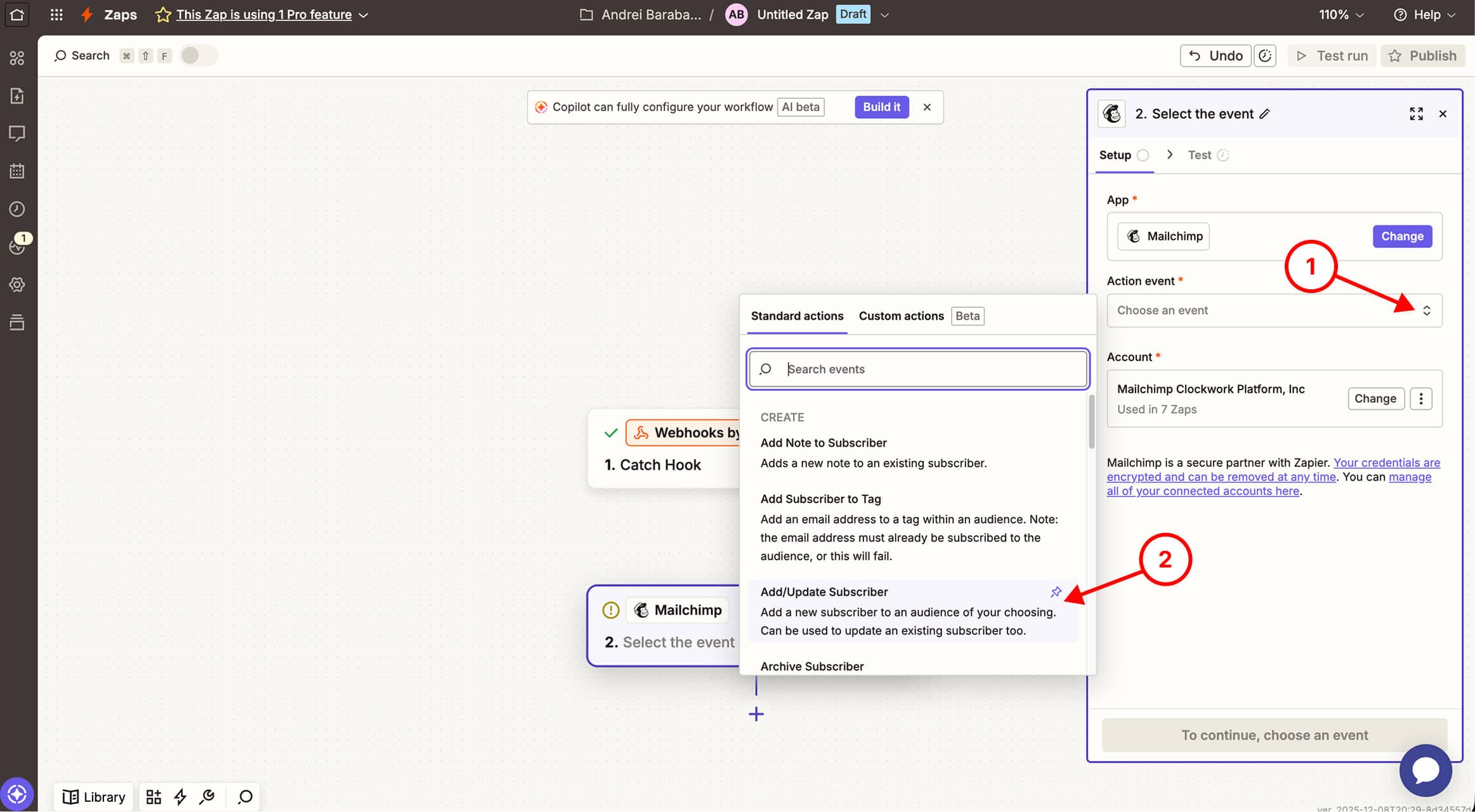
Step 4 / 8
Set Action event to Add/Update Subscriber
Was this image helpful?
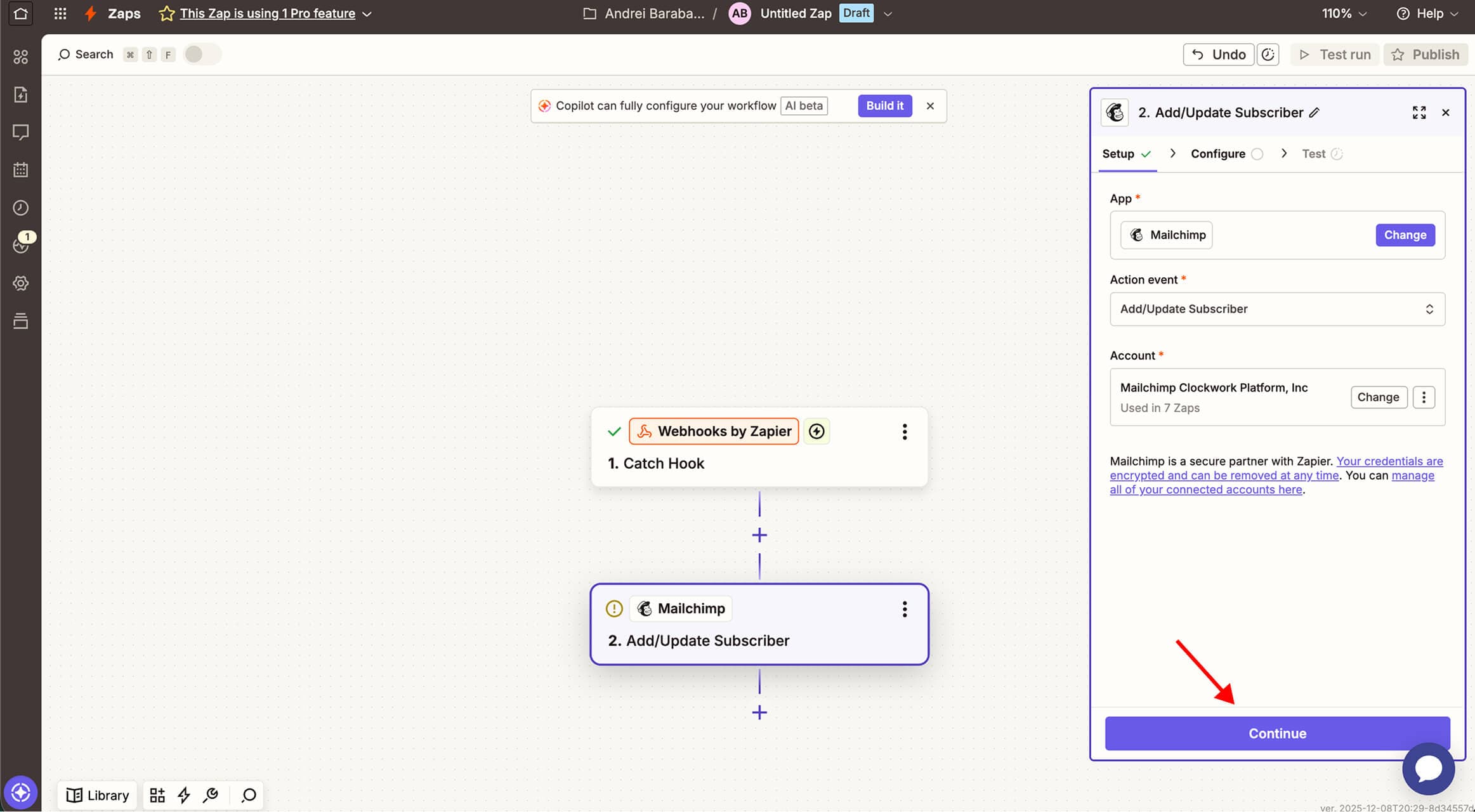
Step 5 / 8
Press Continue button
Was this image helpful?
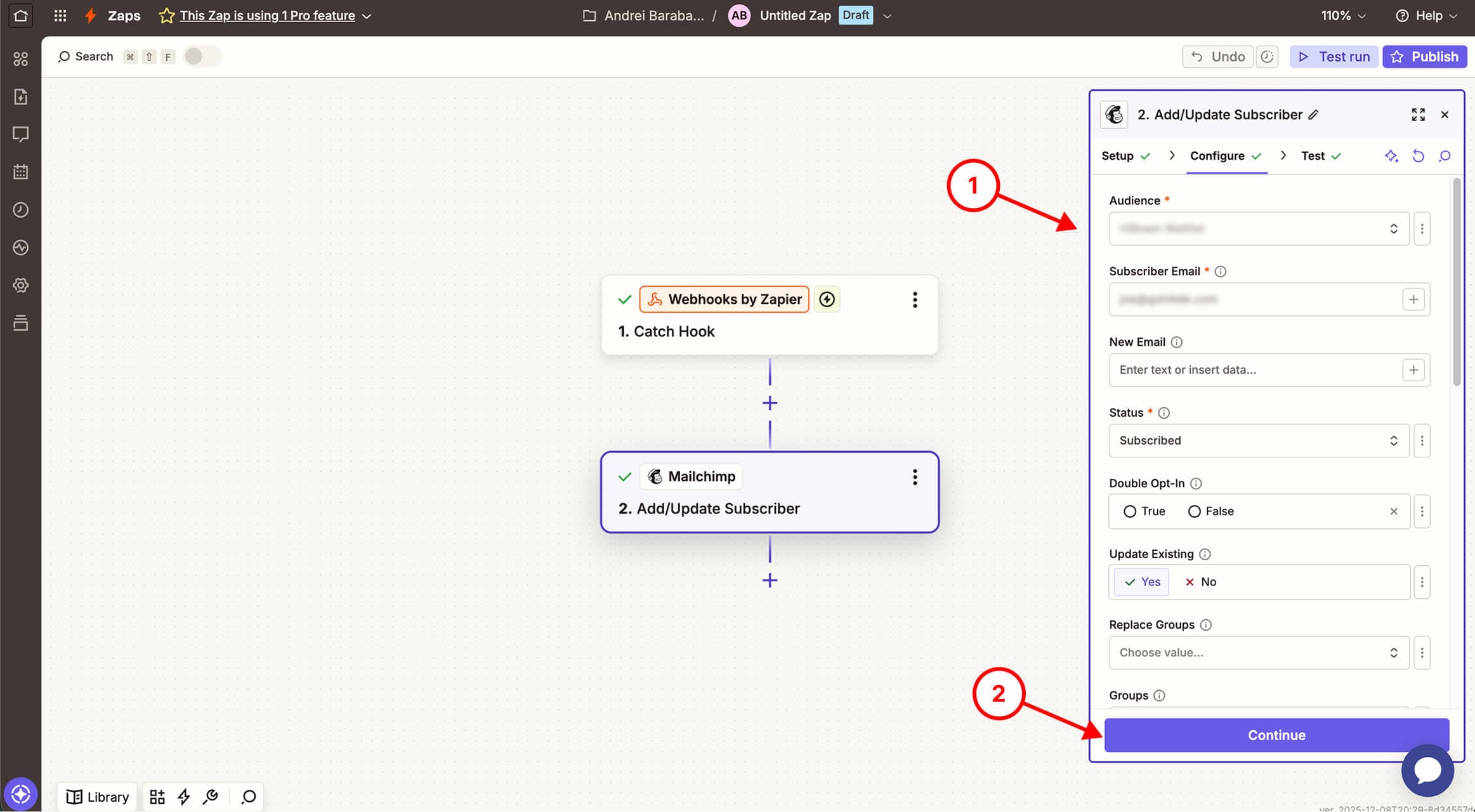
Step 6 / 8
Configure Mailchimp and press Continue button
Was this image helpful?
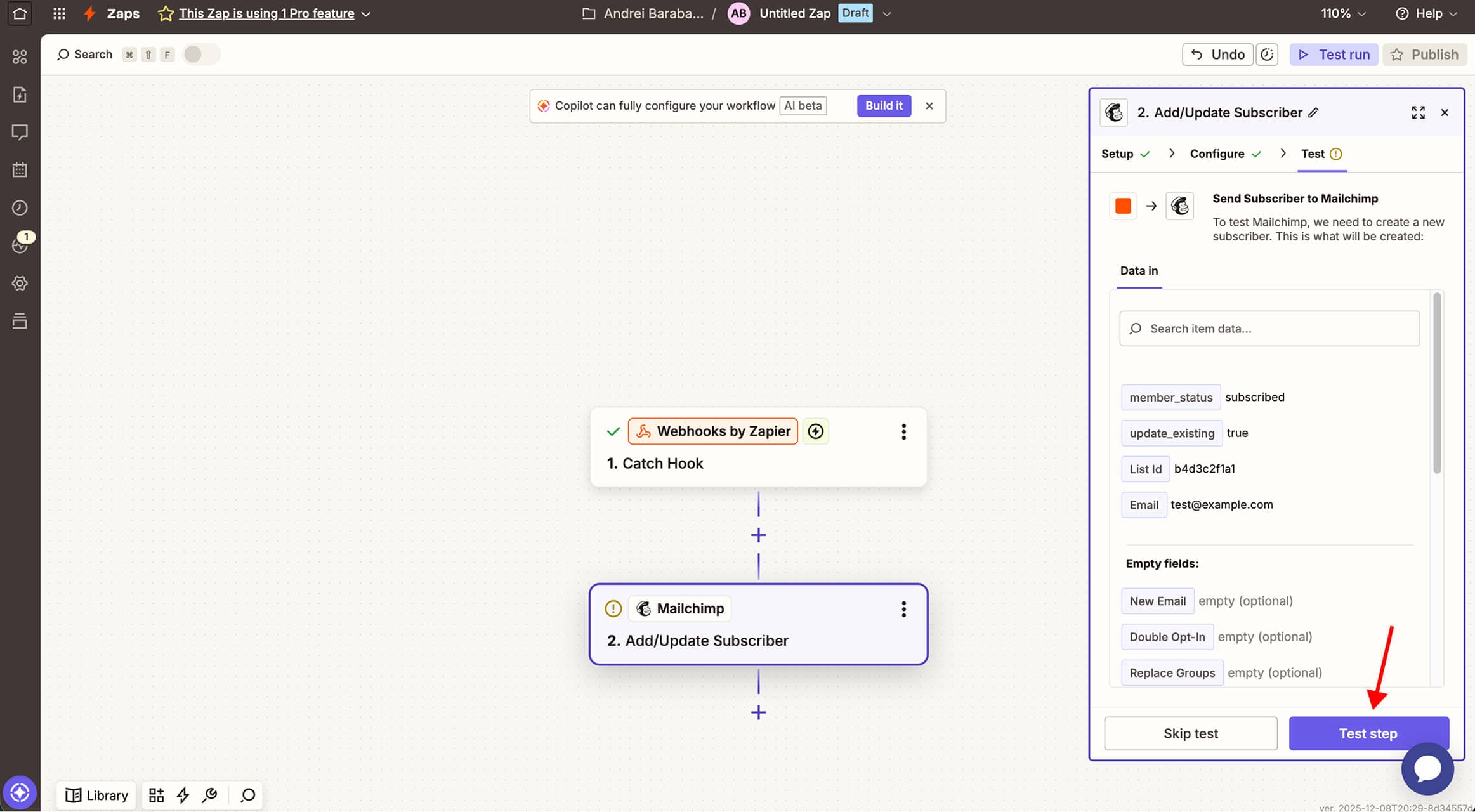
Step 7 / 8
Press Test step button
Was this image helpful?
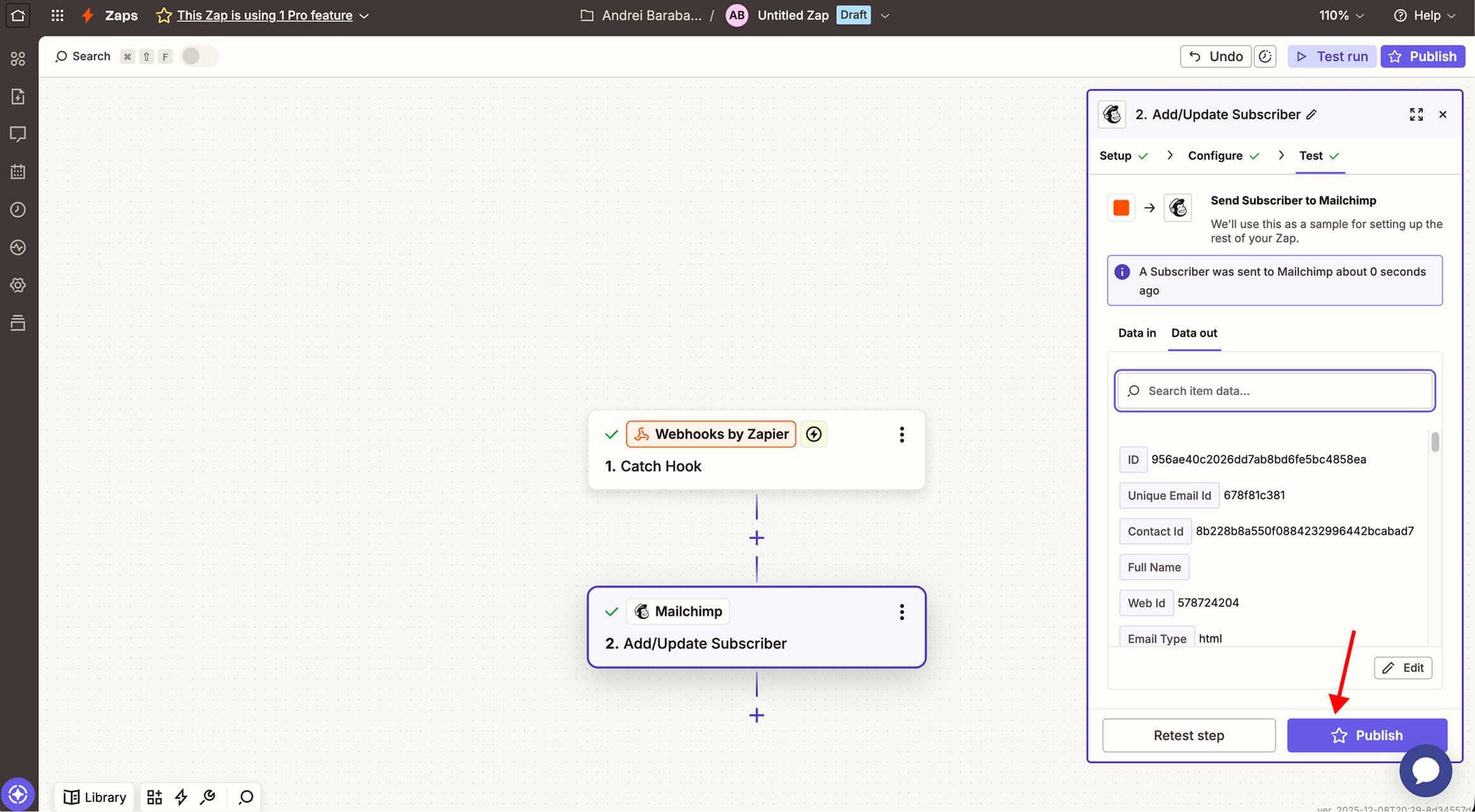
Step 8 / 8
Then press Publish button
Was this image helpful?
🎉 That's it! Easy right?
Was this article helpful?