How to connect HiTide and Zapier
5 minutes until the end
Need to hand-off?
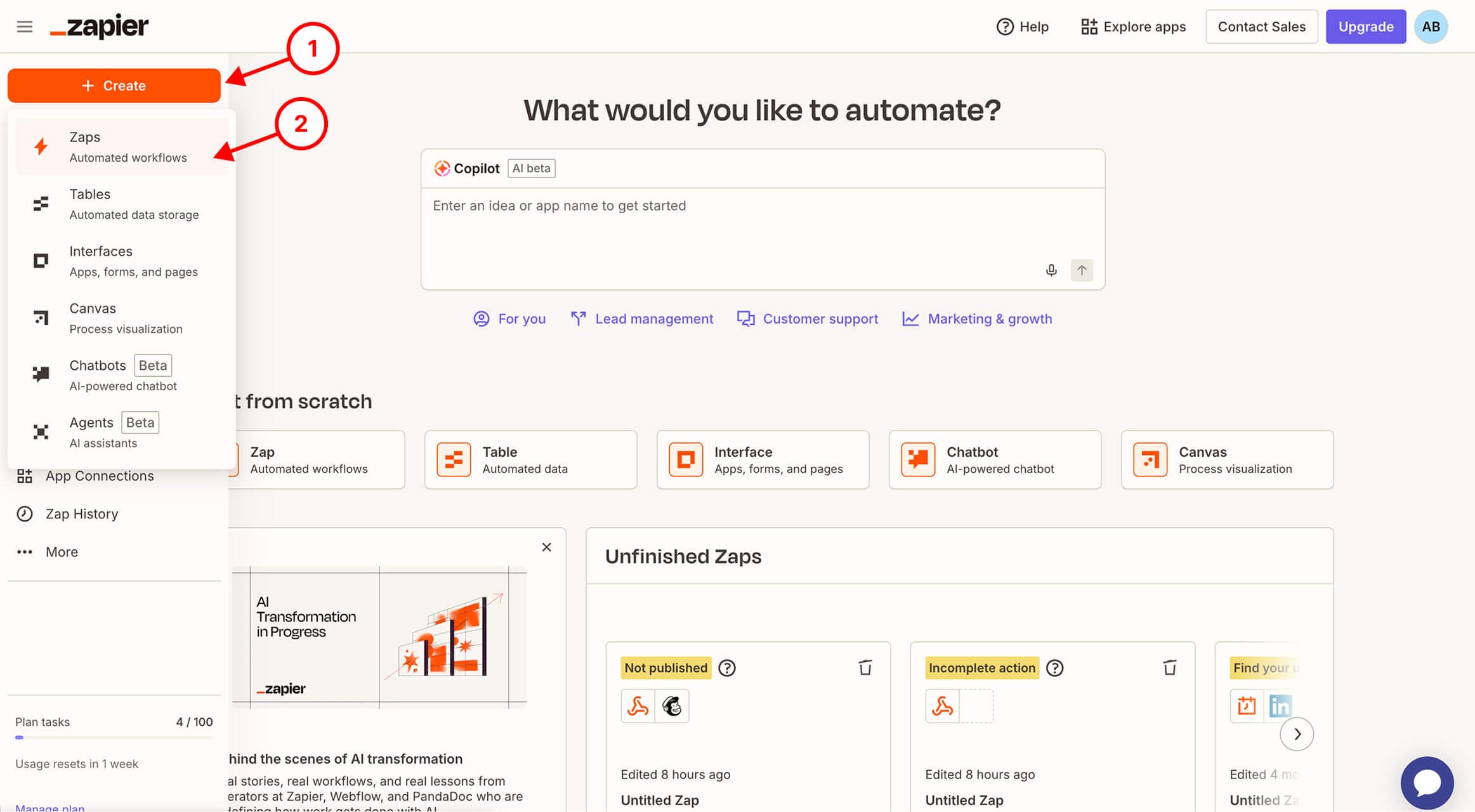
Step 1 / 14
In Zapier, Create a new Zap
Was this image helpful?
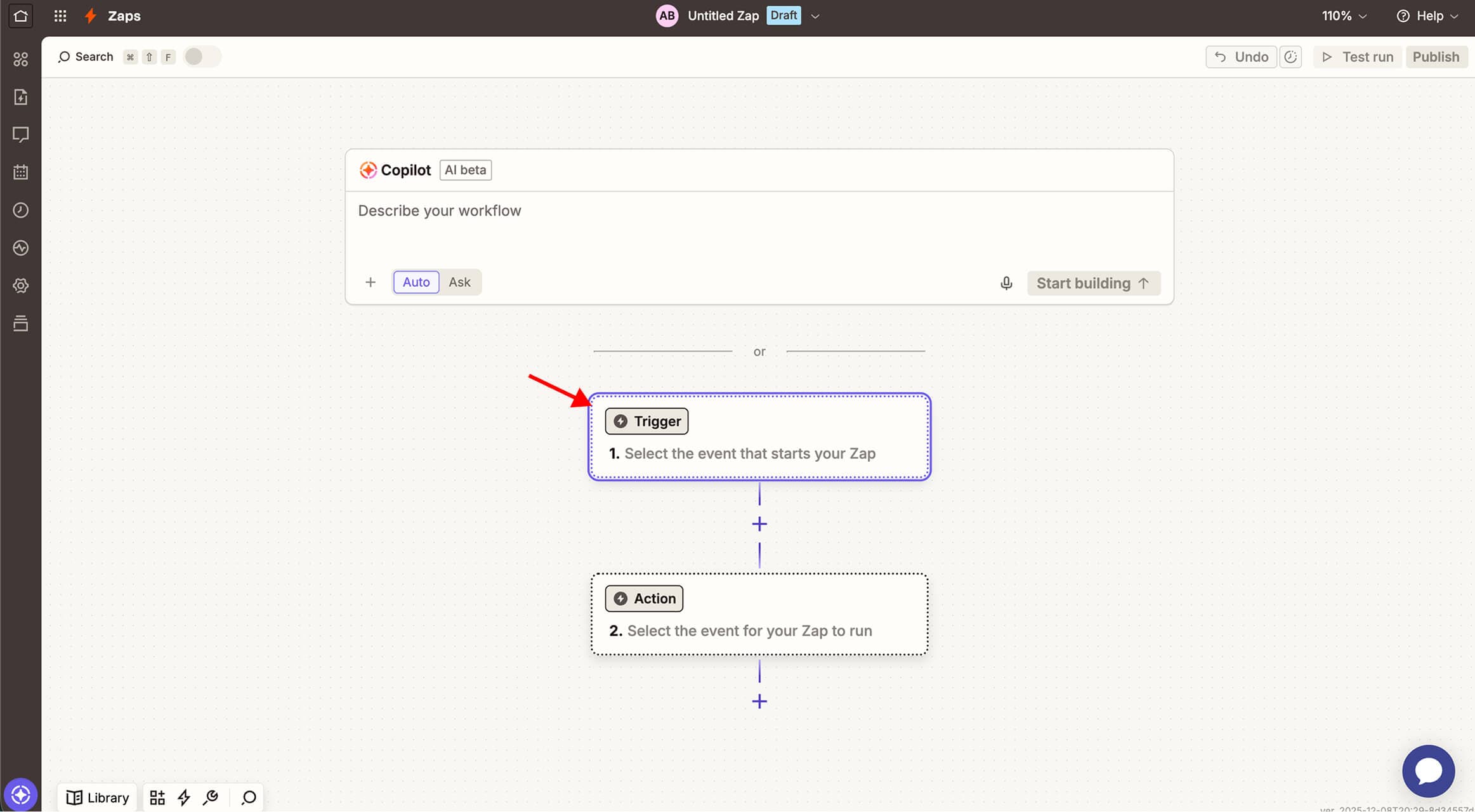
Step 2 / 14
Press Trigger button
Was this image helpful?
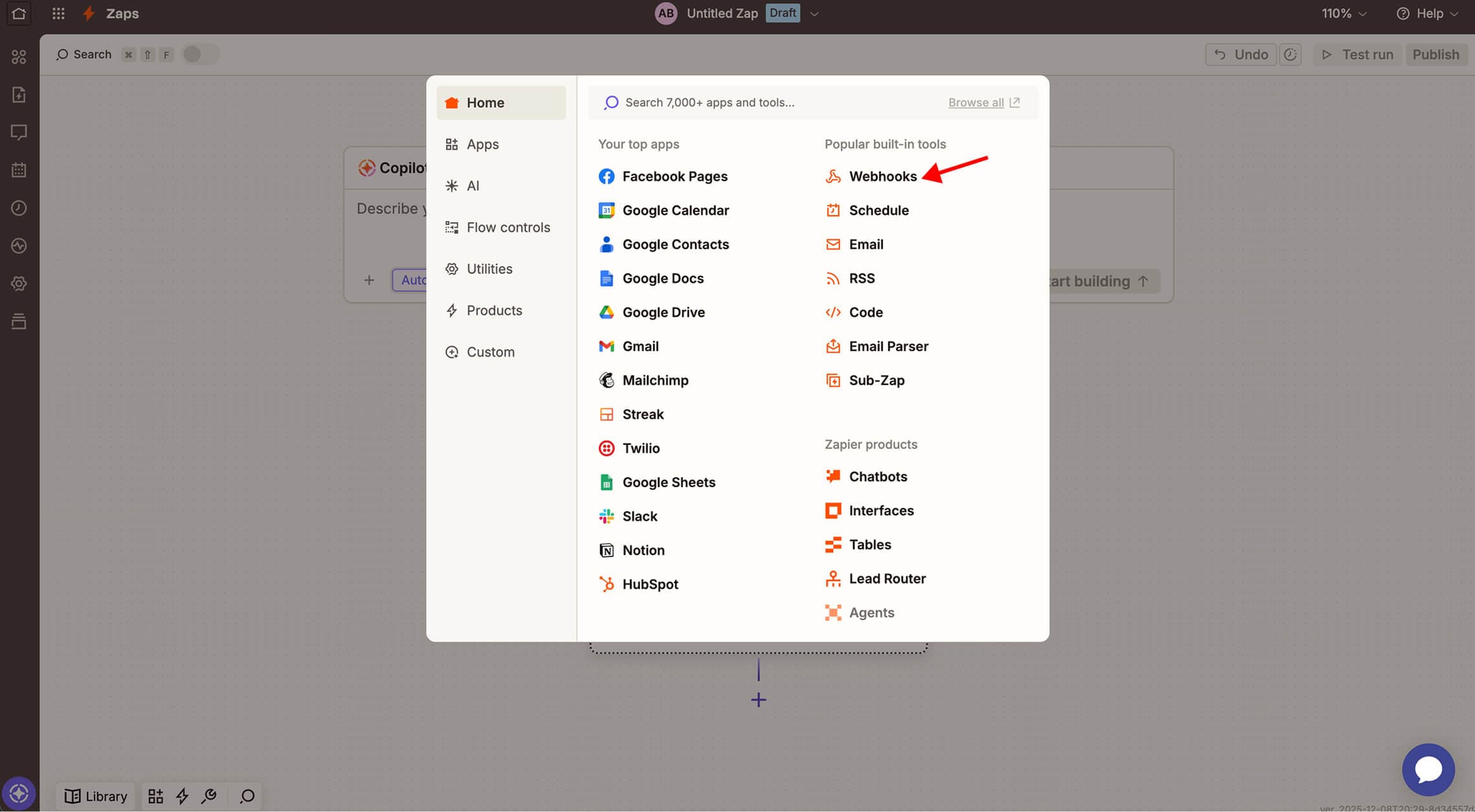
Step 3 / 14
Set trigger type toWebhooks
Was this image helpful?
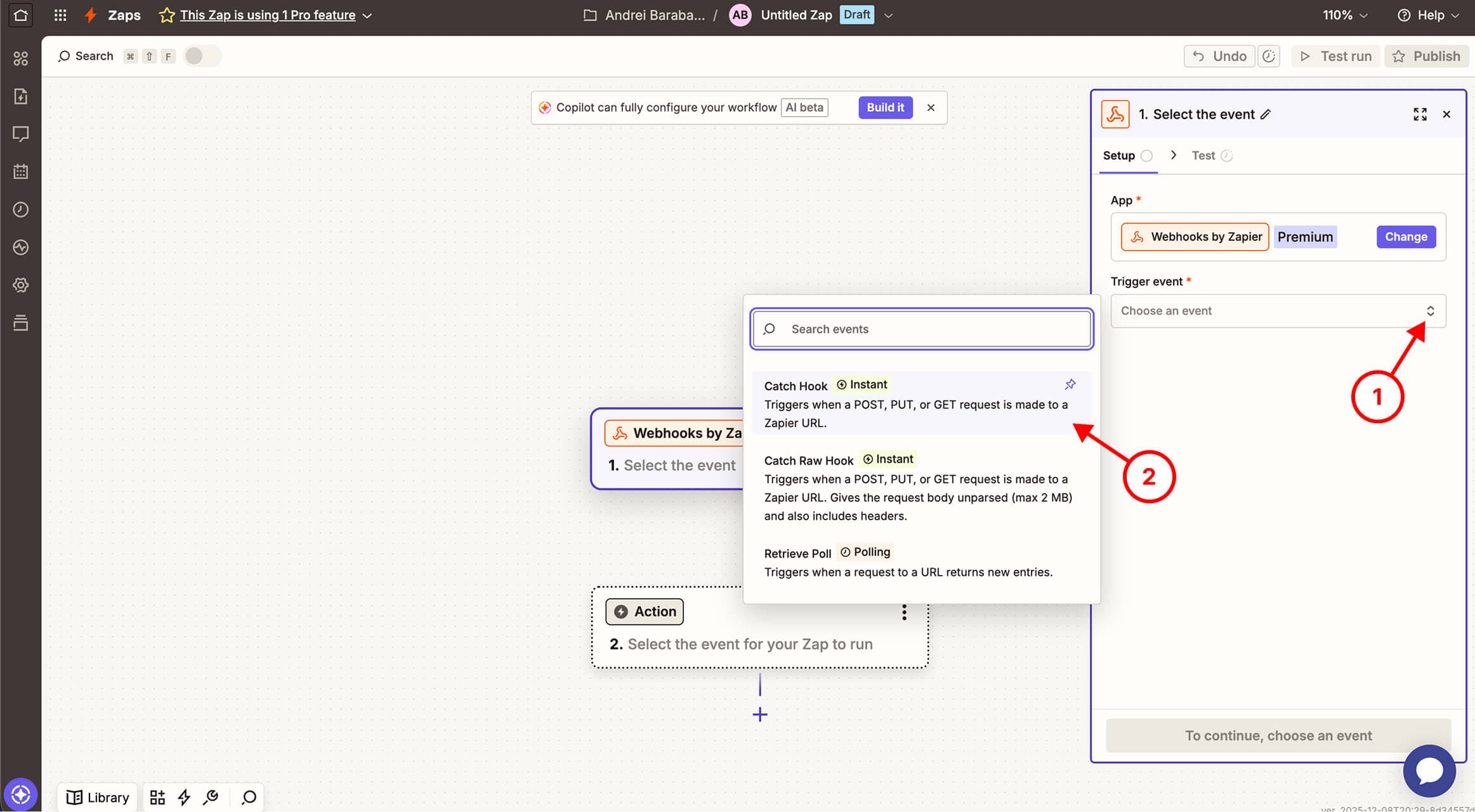
Step 4 / 14
Set trigger event toCatch Hook
Was this image helpful?
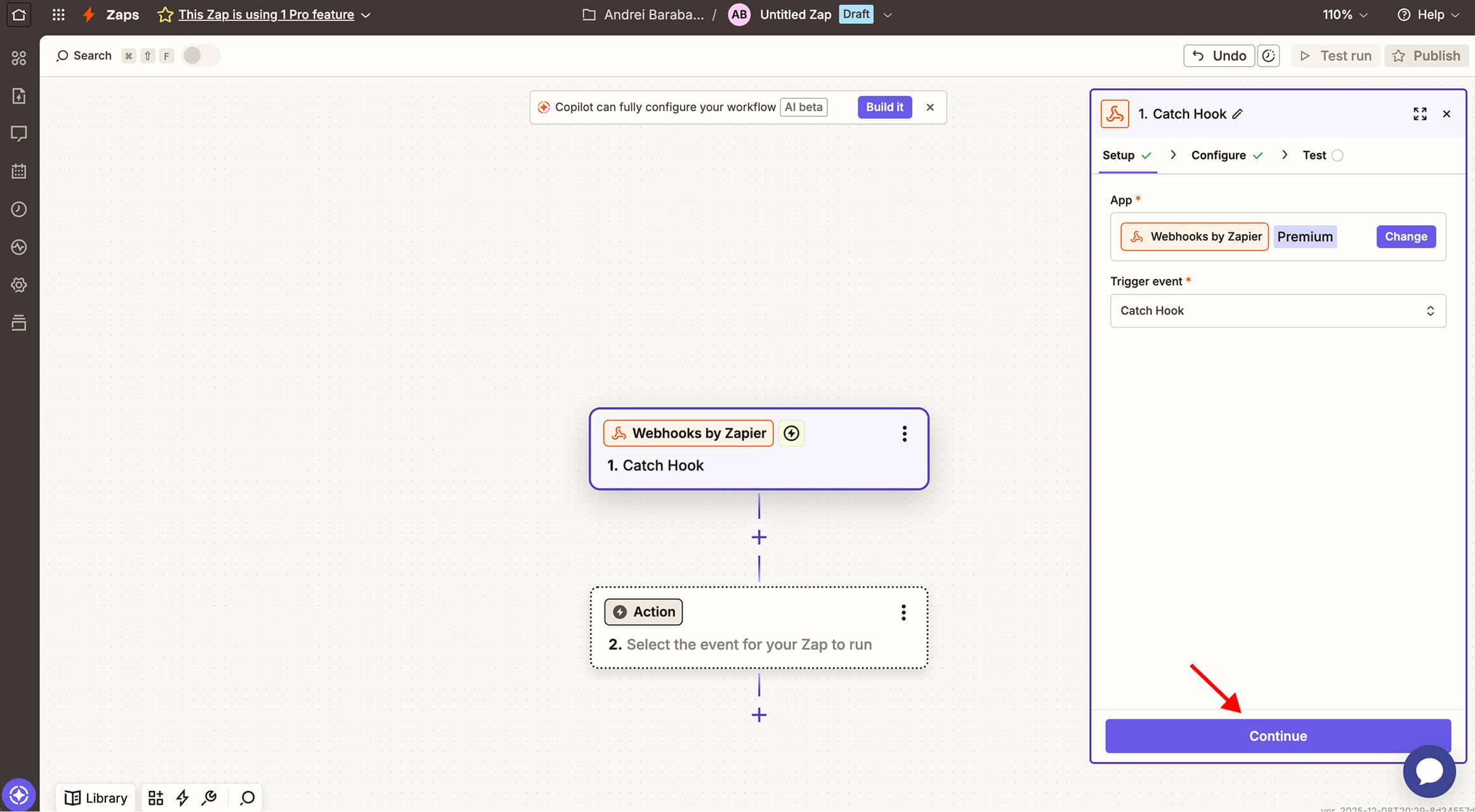
Step 5 / 14
Press Continue button
Was this image helpful?
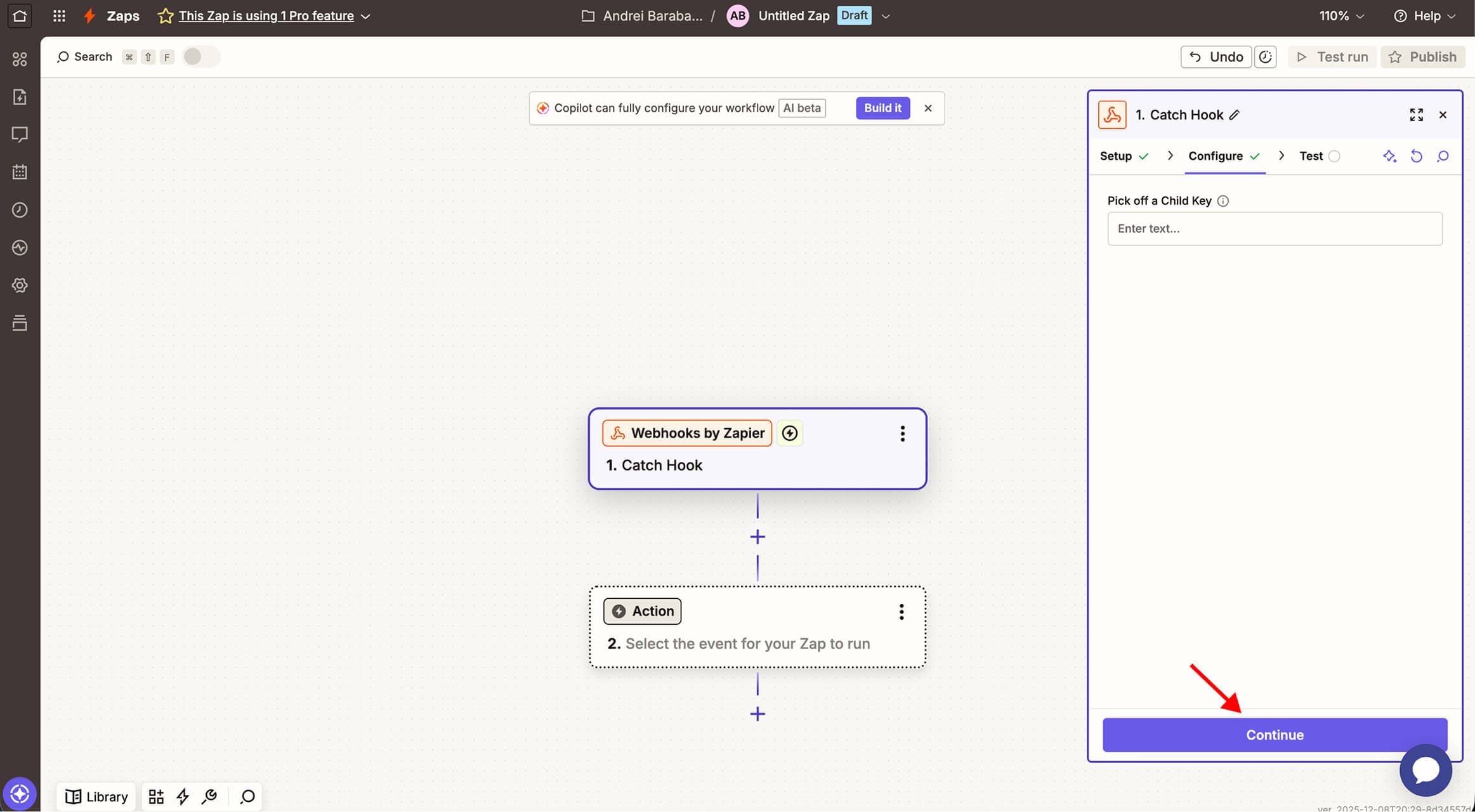
Step 6 / 14
Leave the field Pick off a Child Key blank and press Continue button
Was this image helpful?
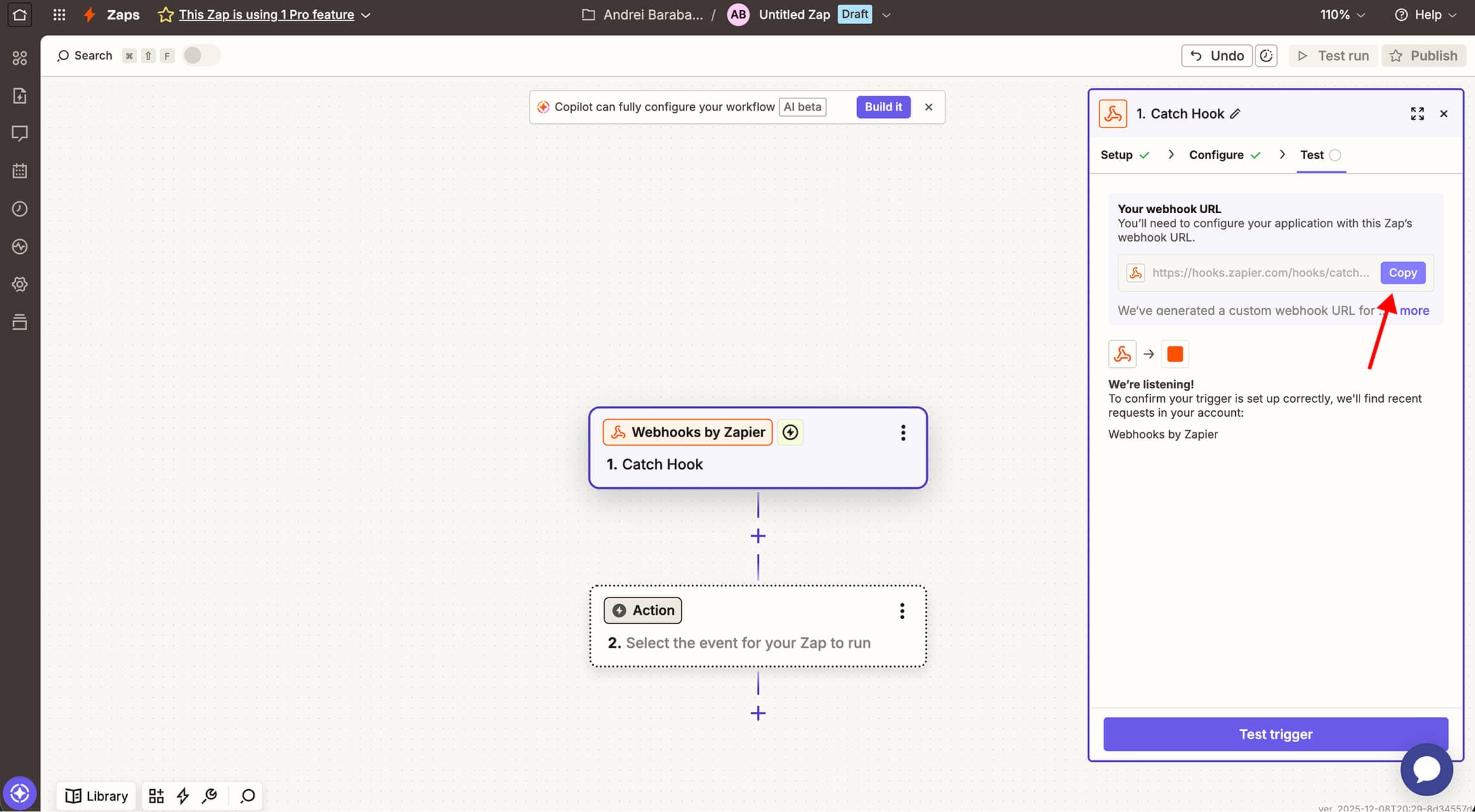
Step 7 / 14
Copy the Webhook URL
Was this image helpful?
Step 8 / 14
Then go to HiTide,Settings

Was this image helpful?
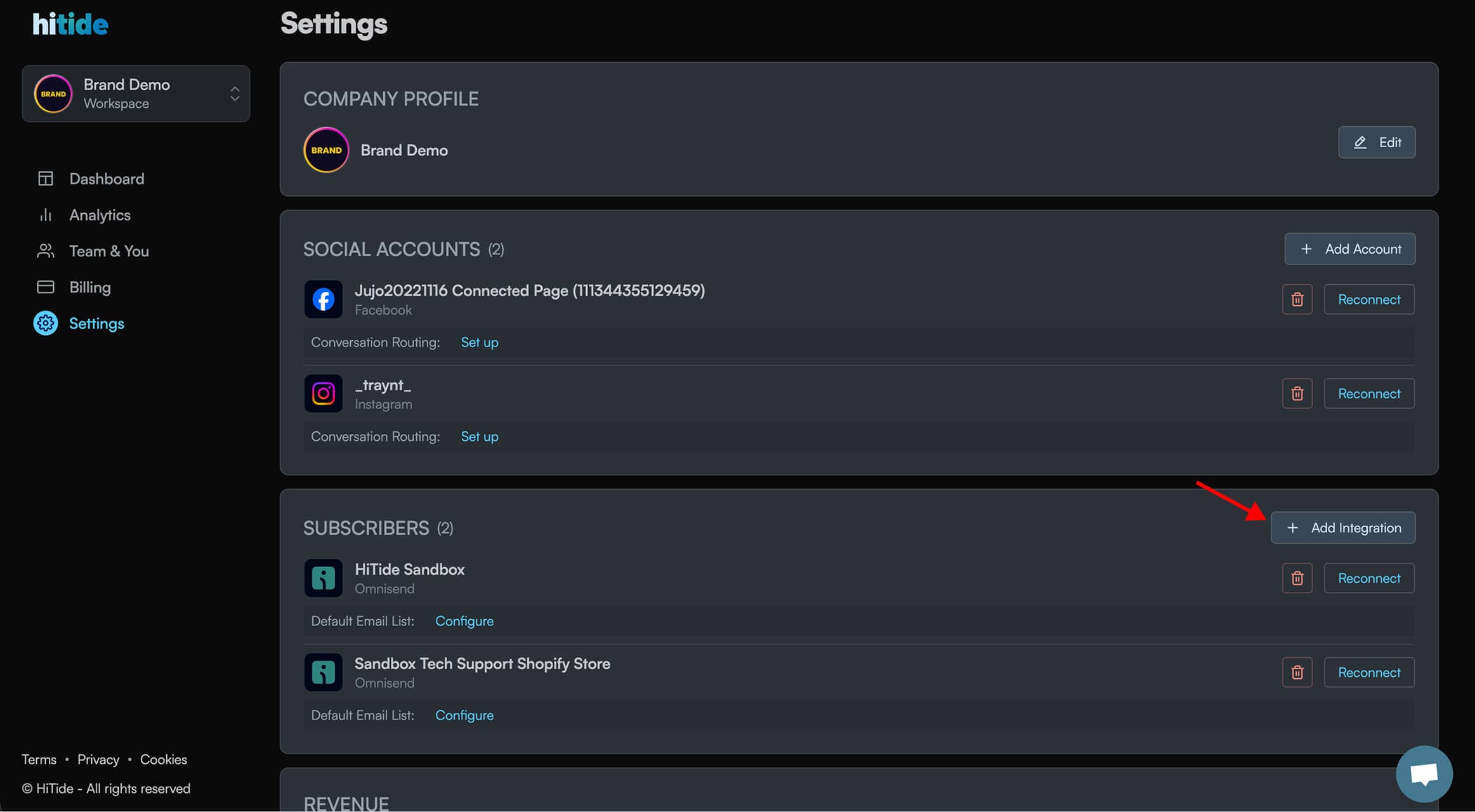
Step 9 / 14
Under Subscribers section, press + Add Integration button
Was this image helpful?
Step 10 / 14
Then, hit Connect Webhook button

Was this image helpful?
Step 11 / 14
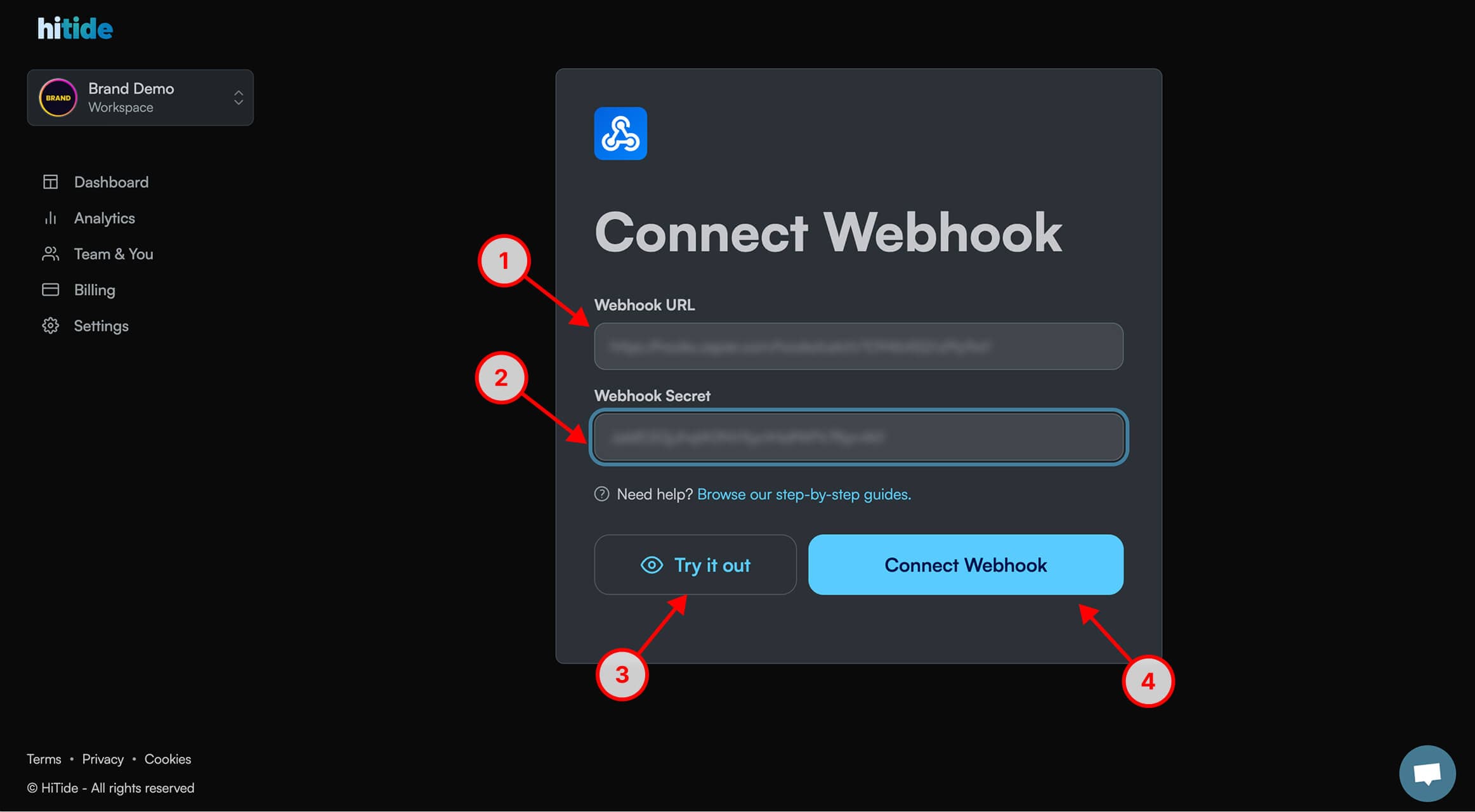
Paste your Zapier Webhook as Webhook URL, set any 32 character string as Webhook Secret, press Try it out button, then press Connect Webhook button
Was this image helpful?
Step 12 / 14
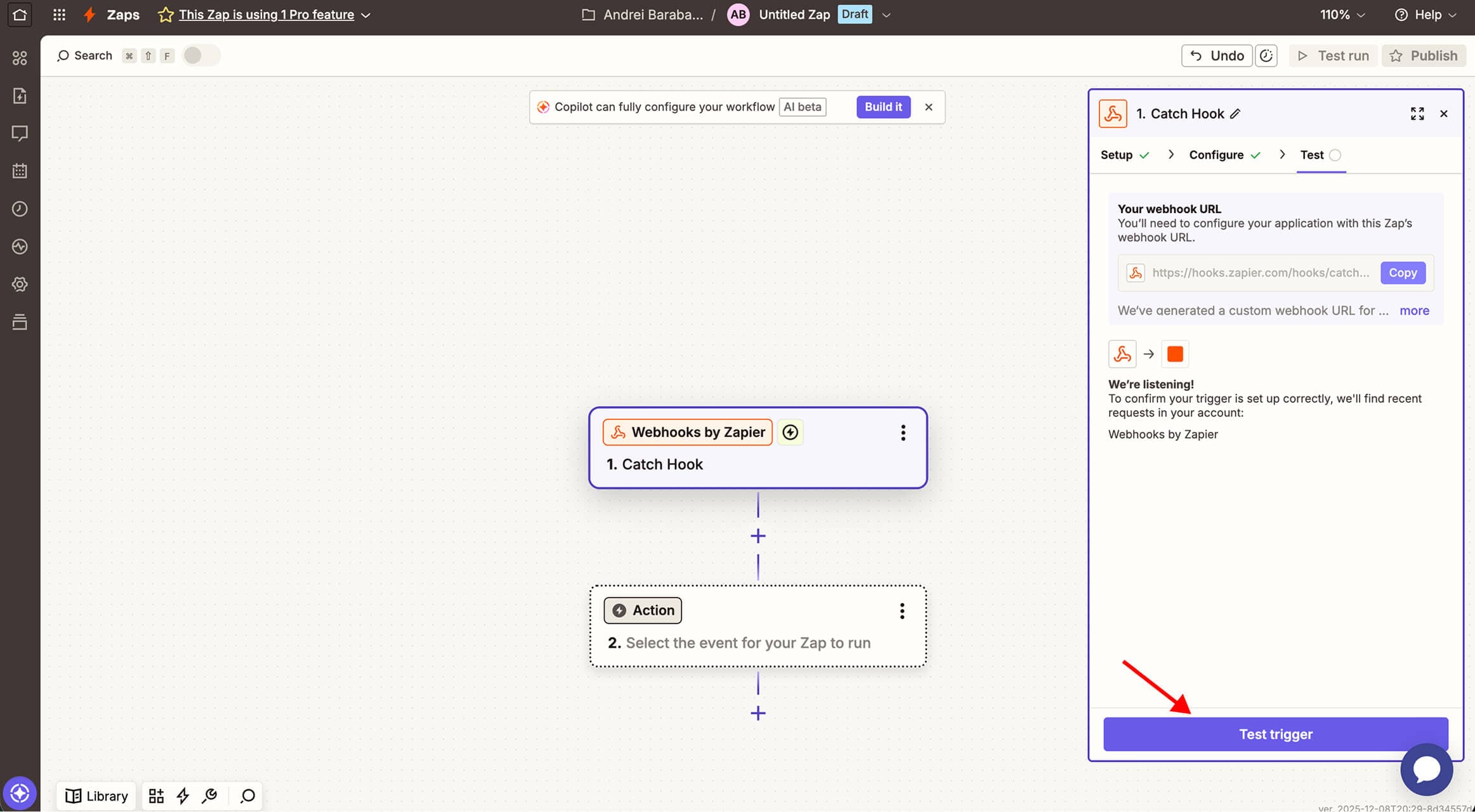
Go back to Zapier and hit Test trigger button
Was this image helpful?
Step 13 / 14
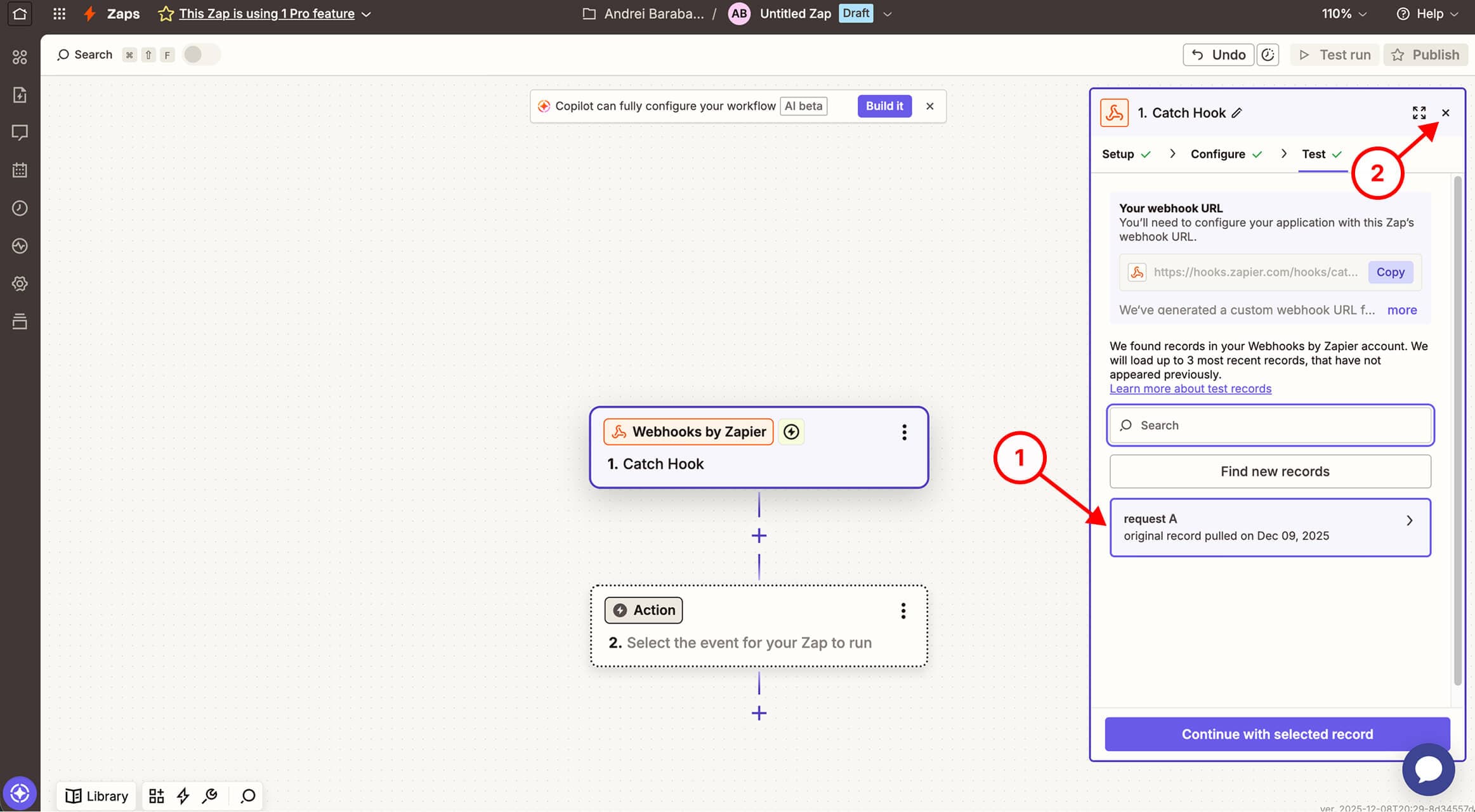
You should see a success dialogue, then you can close this window
Was this image helpful?
Step 14 / 14
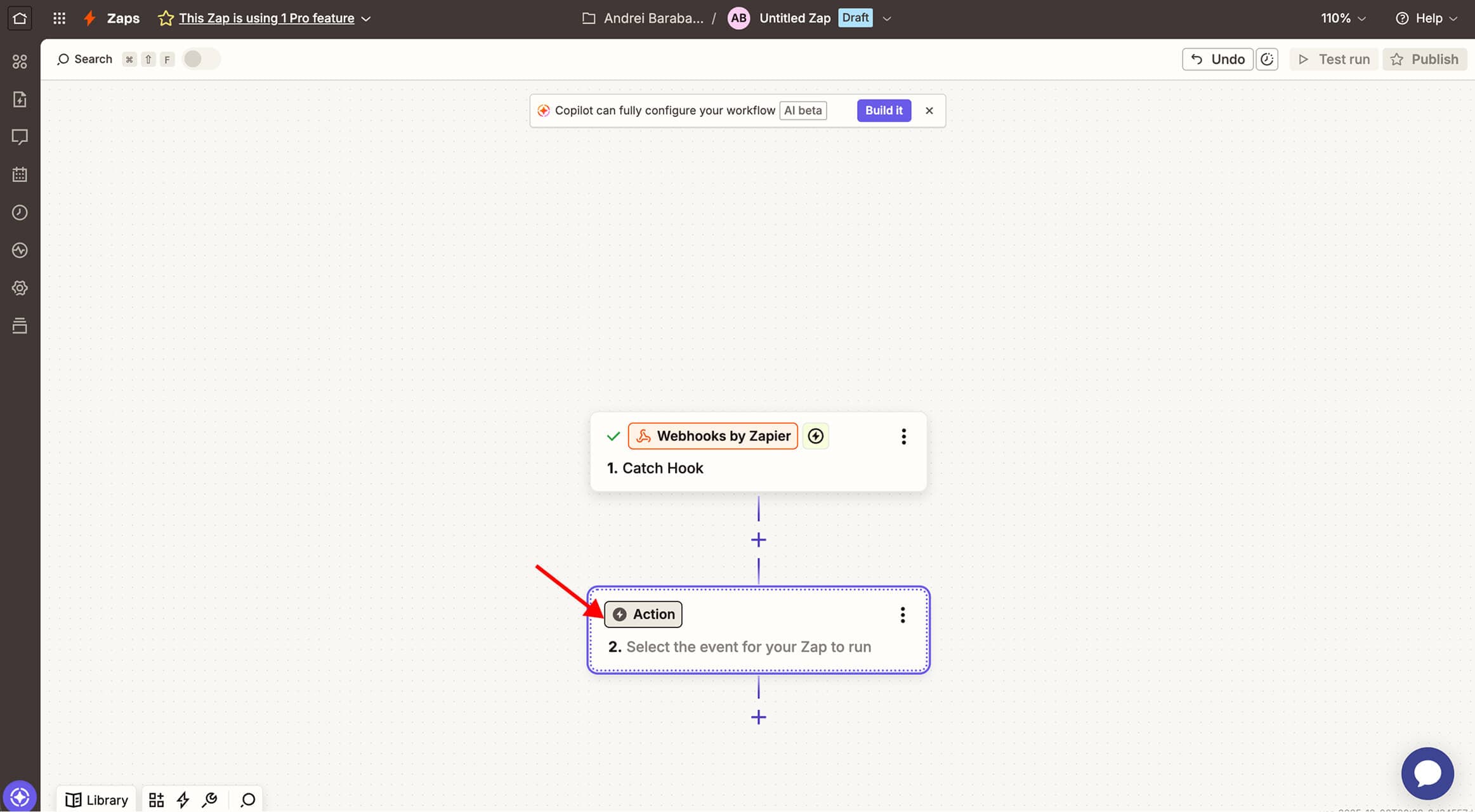
Now press the Action button to select what do you want to do with the data. For example, you can Add/Update Subscriber to Mailchimp.
Was this image helpful?
🎉 That's it! Easy right?
Was this article helpful?