Create new Promotion on Viralsweep
3 minutes until the end
Need to hand-off?
Step 1 / 8
Go to Viralsweep dashboard press New Promotion button.

Was this image helpful?
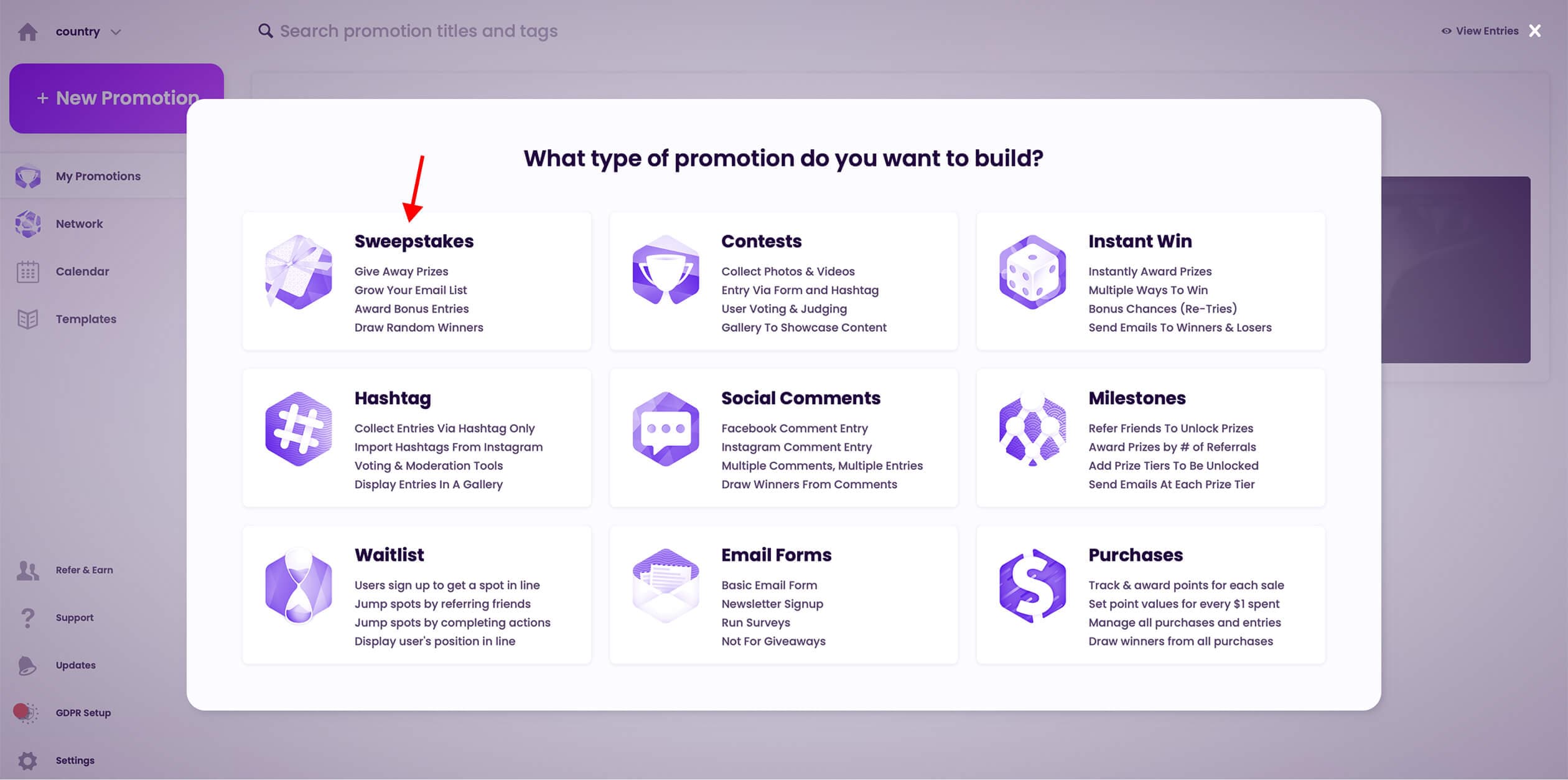
Step 2 / 8
Select your promotion type
Was this image helpful?
Step 3 / 8
Choose your template

Was this image helpful?
Step 4 / 8
Fill in your promotion details
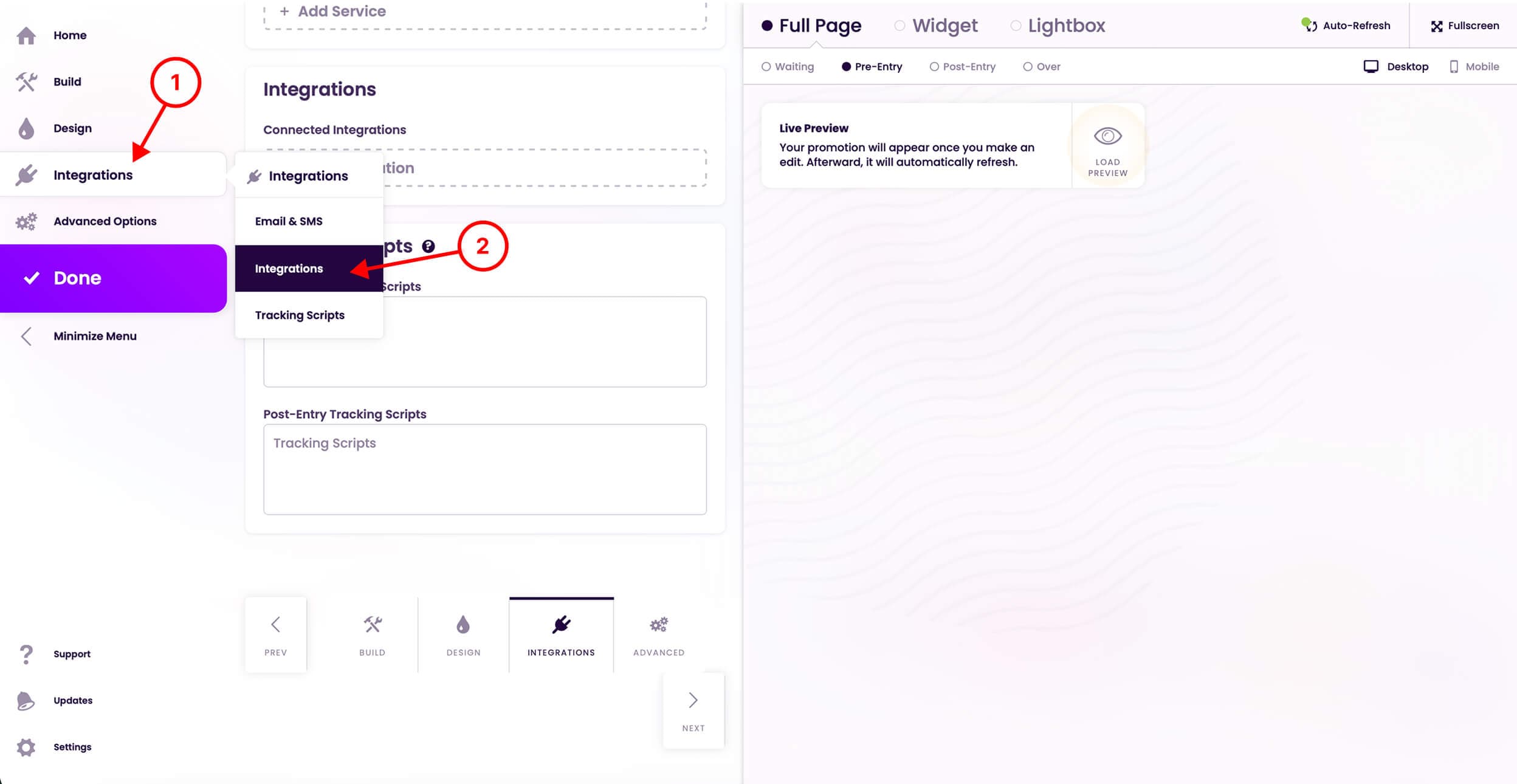
Step 5 / 8
Press Integrations then choose Integrations
Was this image helpful?
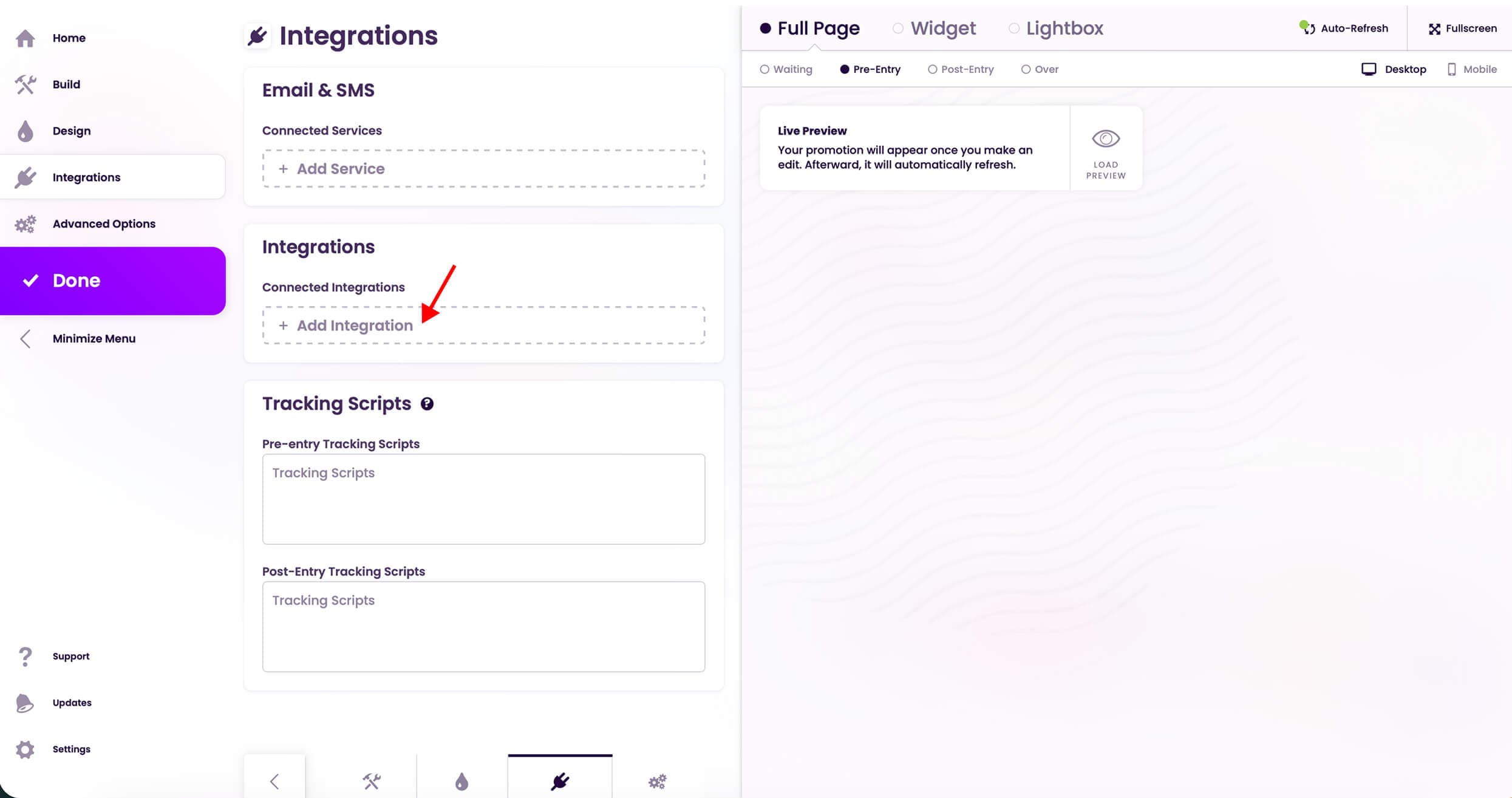
Step 6 / 8
Press Add Integration
Was this image helpful?
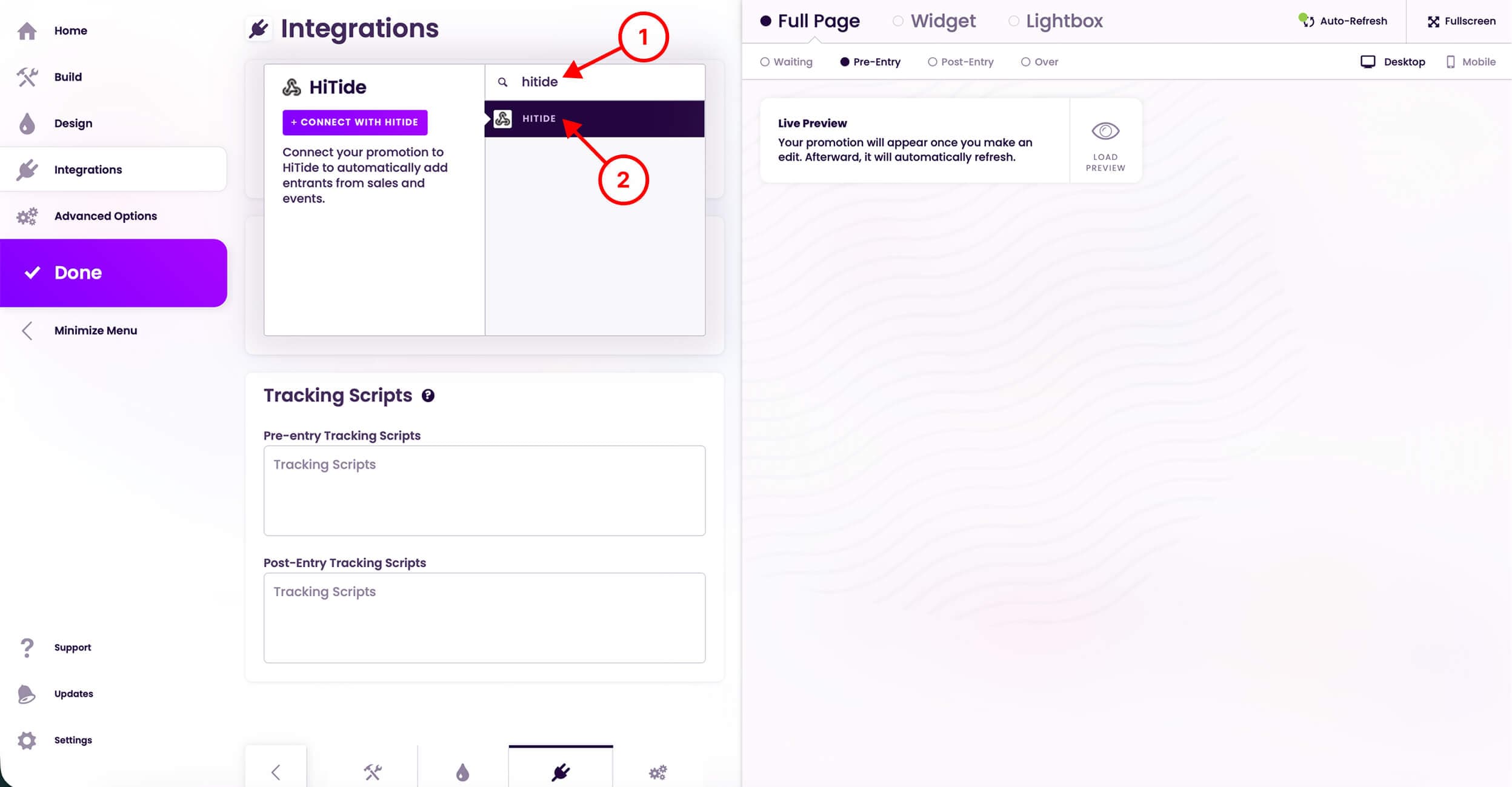
Step 7 / 8
Choose HiTide
Was this image helpful?
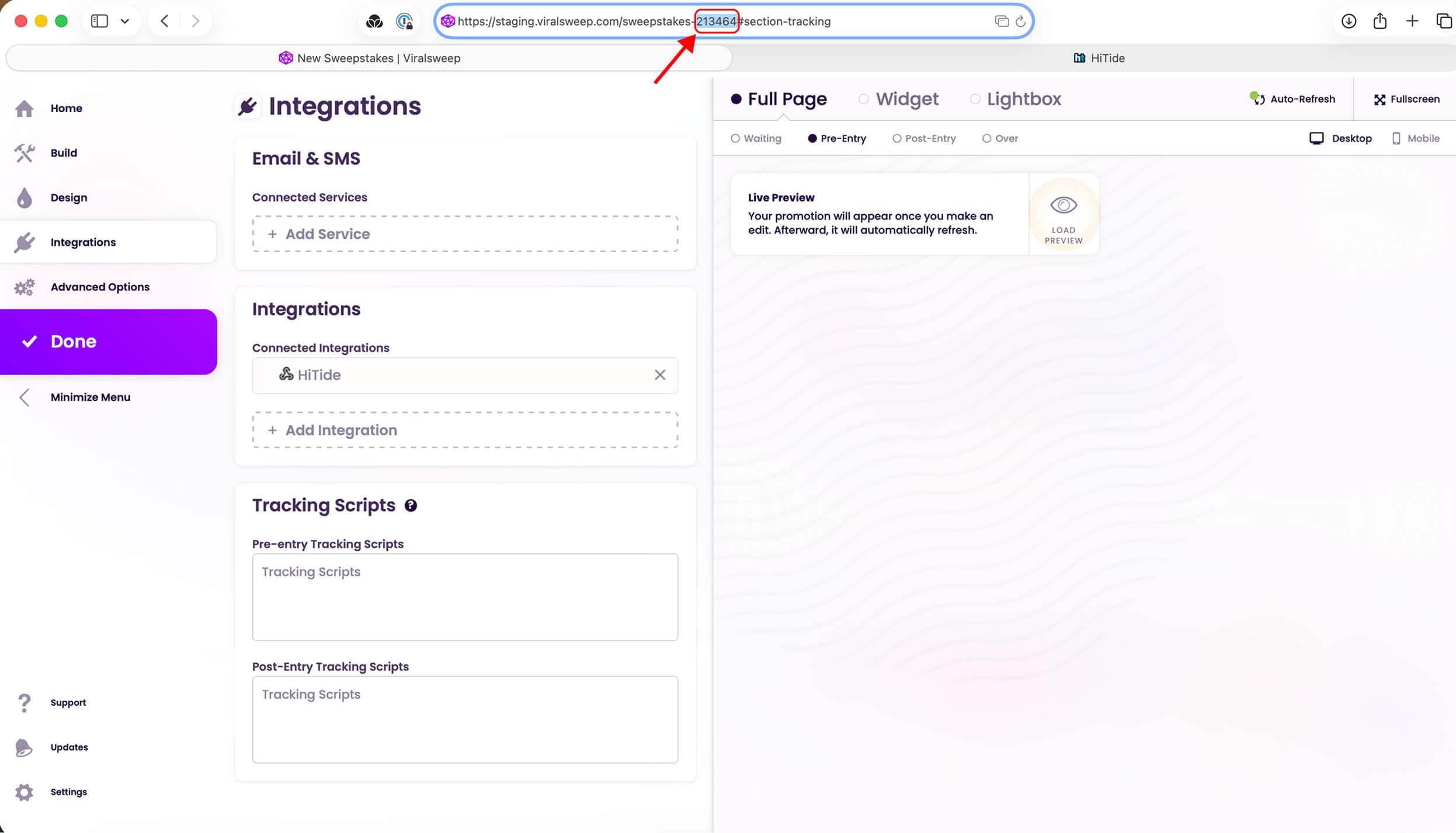
Step 8 / 8
Then copy the promotion id from the URL.
Was this image helpful?