Create a new Omnisend campaign
2 minutes until the end
Need to hand-off?
Step 1 / 6
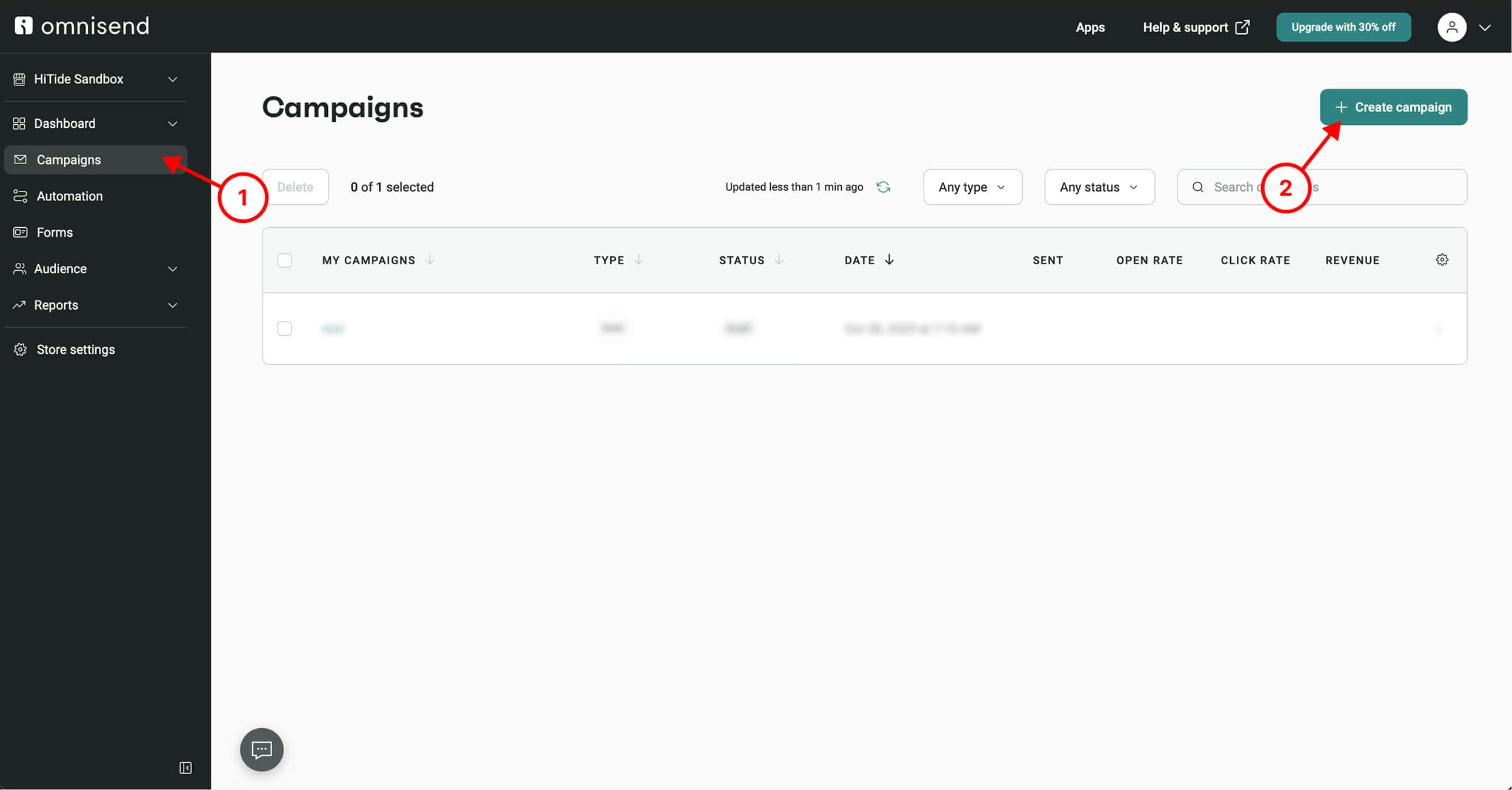
In Omnisend, go to Campaigns, then click Create Campaign button
Was this image helpful?
Step 2 / 6
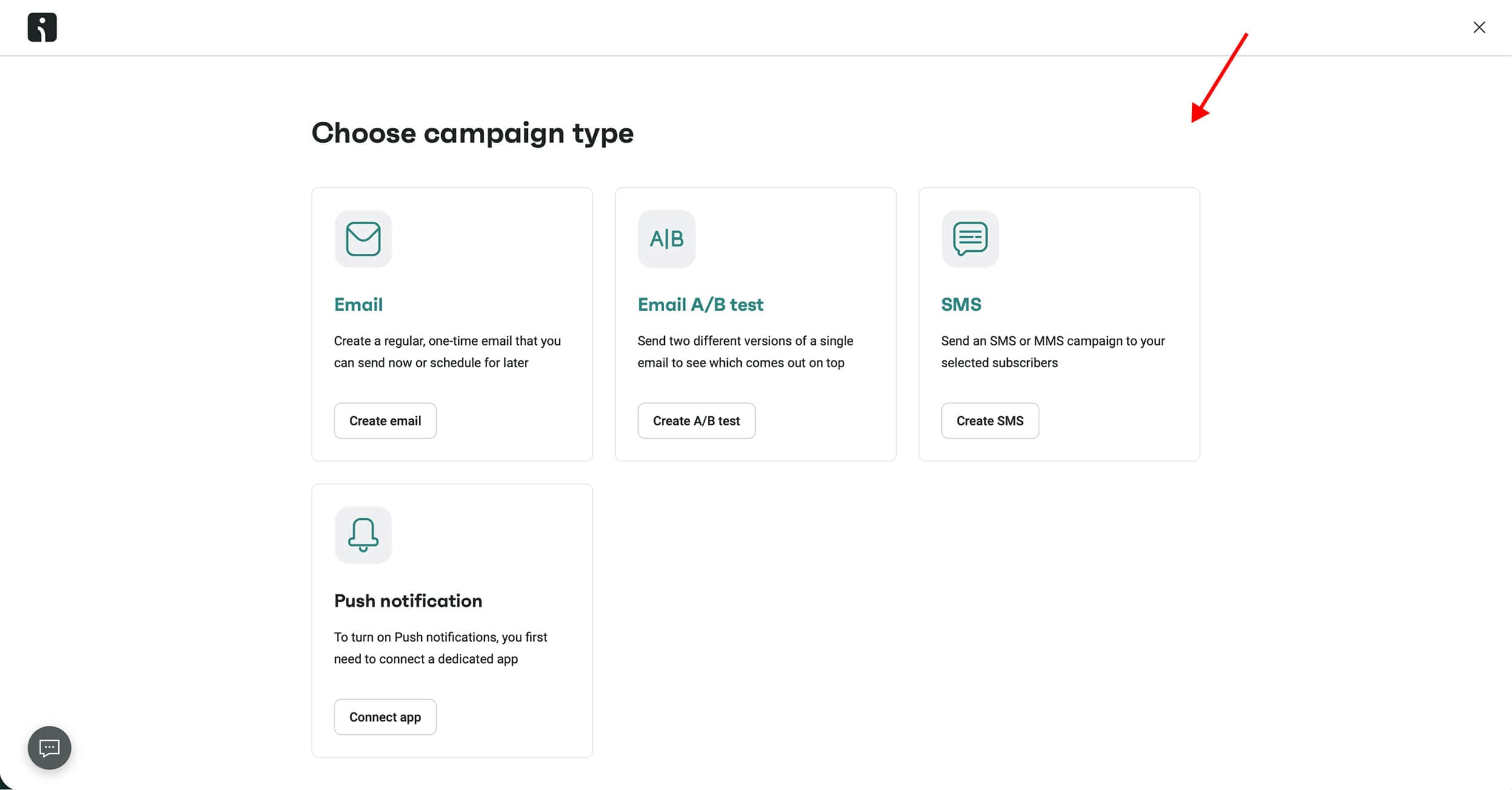
Then choose campaign type
Was this image helpful?
Step 3 / 6
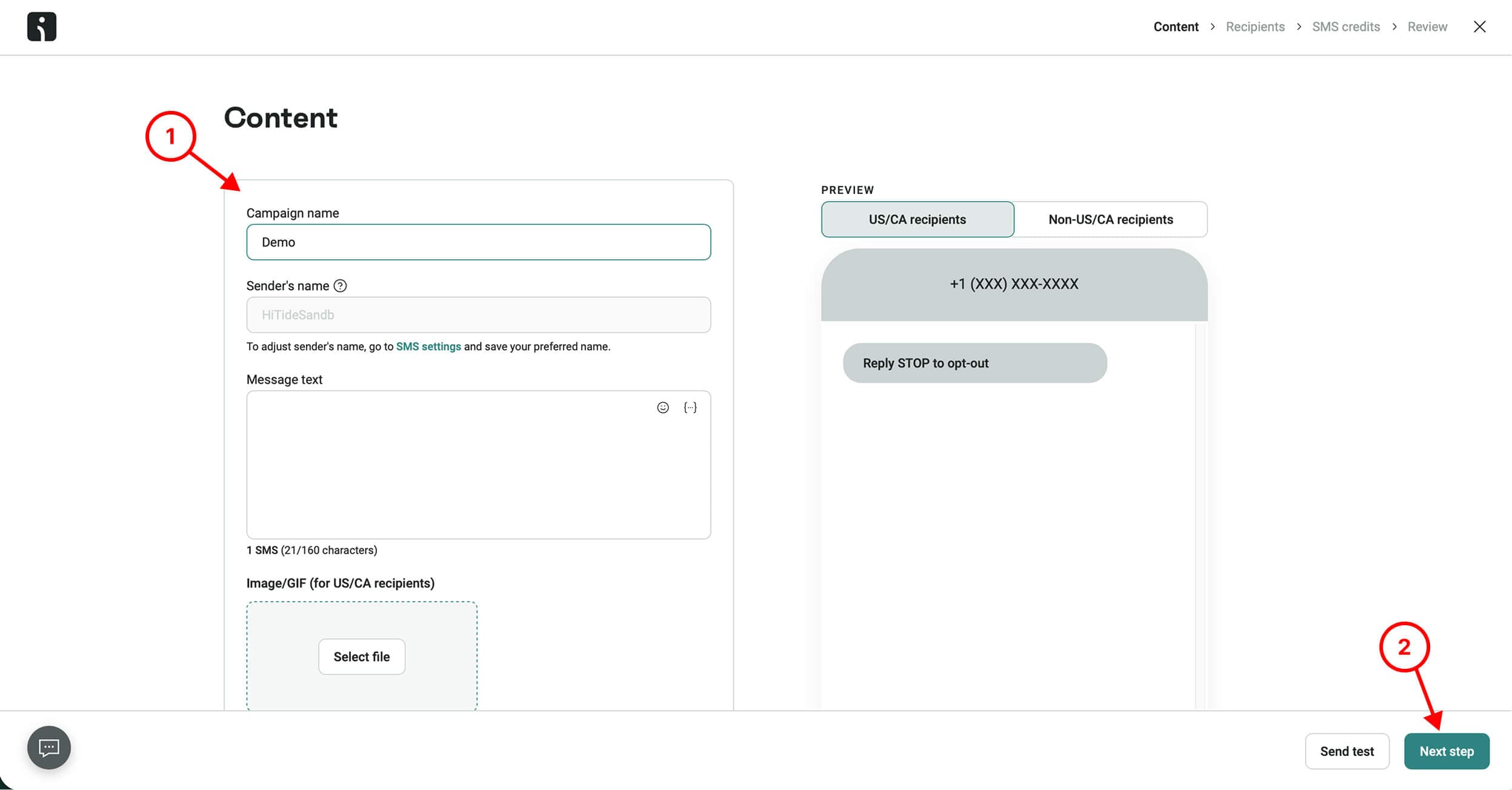
Then fill in campaign details and press Next step button
Was this image helpful?
Step 4 / 6
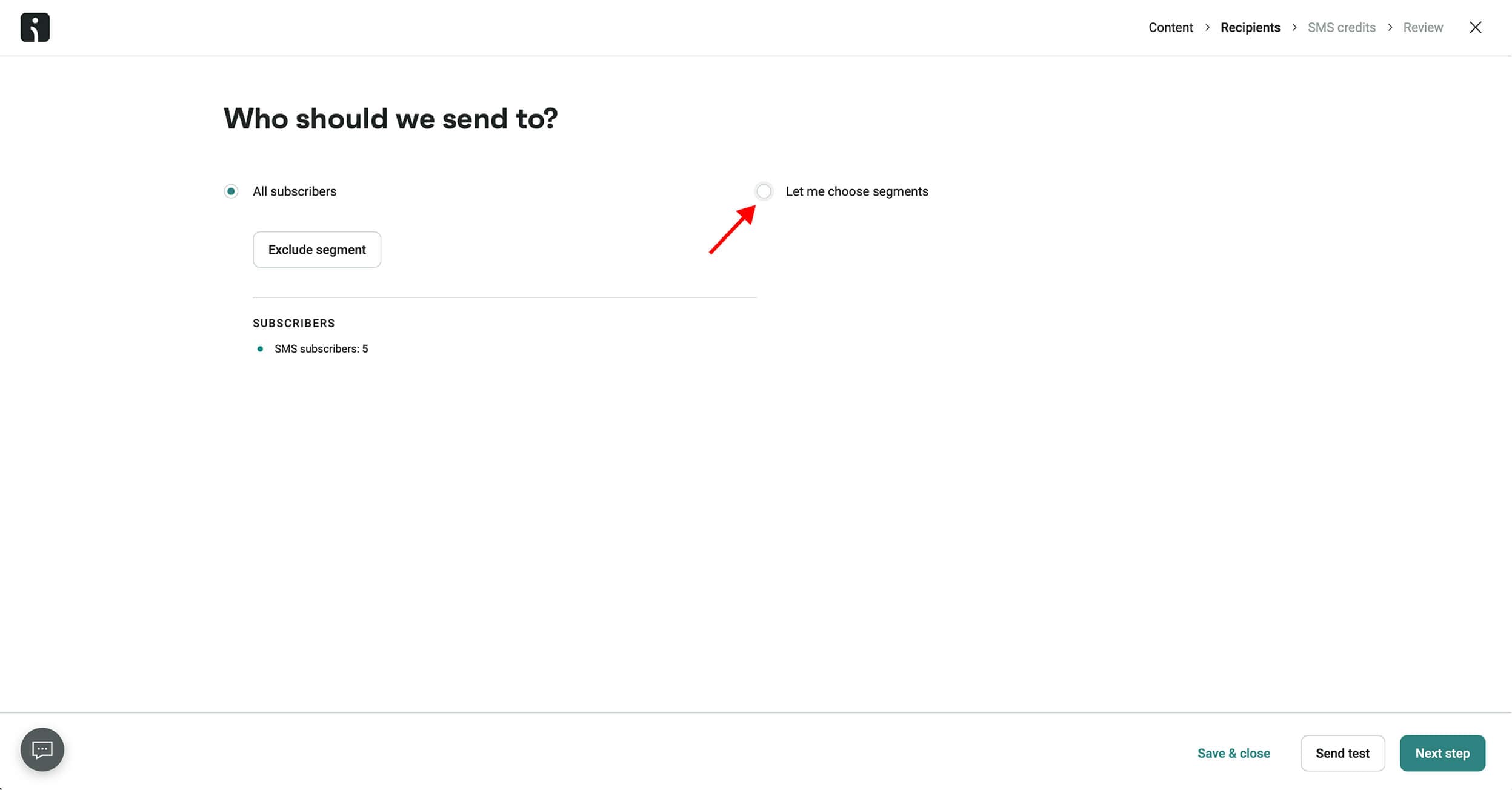
Select Let me choose segments option
Was this image helpful?
Step 5 / 6
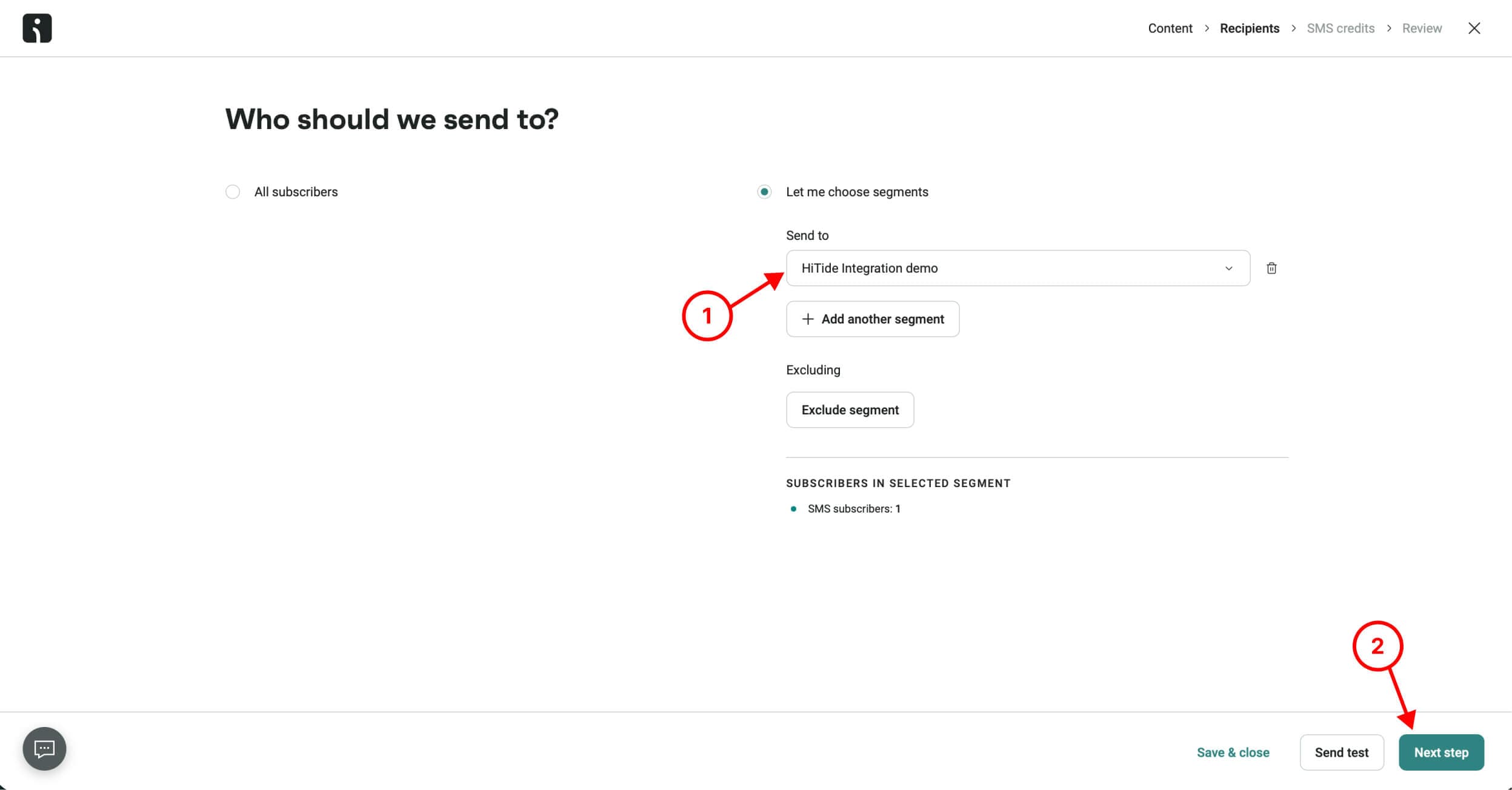
Then select the newly created segment HiTide and press Next step button
Was this image helpful?
Step 6 / 6
Then Review campaign and press the Send now button or select Schedule for later option
🎉 That's it! Easy right?
Was this article helpful?